
Download Plastiliq Image Resizer – Image Resizer, Resize Images, Image Editing, Free Image Tool, Desktop Wallpaper, Resize for Web, Resize for Social Media
Overview
Plastiliq Image Resizer is a lightweight utility designed to simplify the process of resizing digital images across multiple formats. The application supports JPEG, JPG, PNG, BMP, and TIFF file types, making it a versatile tool for users working with diverse image sources. Its primary purpose is to enable quick and accurate resizing without requiring advanced technical knowledge, making it especially valuable for individuals with limited experience in image editing software.
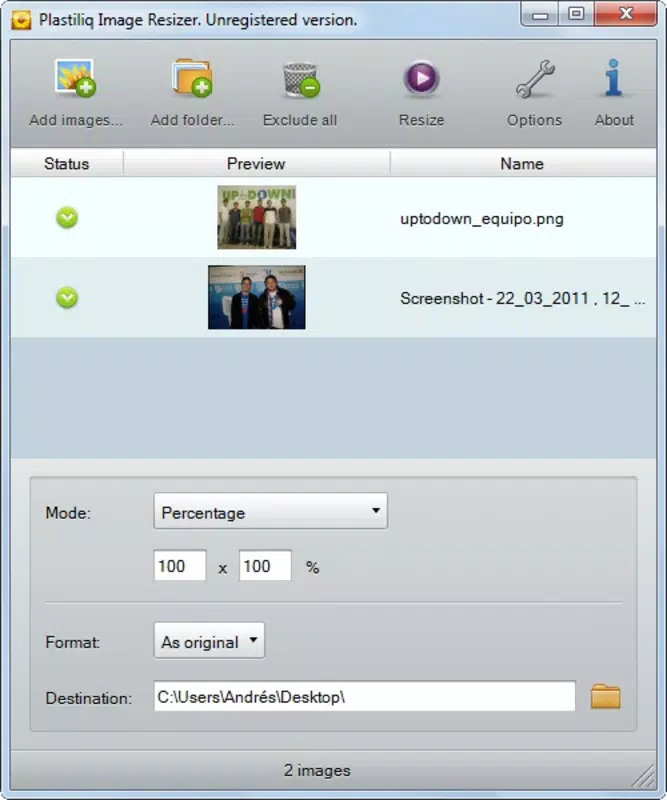
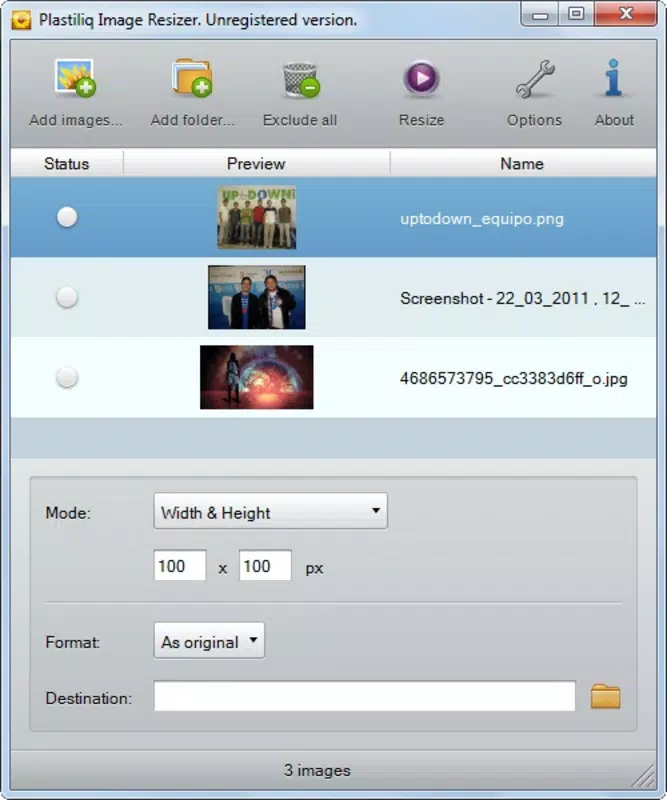
Users can adjust image dimensions using specific width and height values, apply percentage-based scaling, or align the image precisely to their desktop resolution—an ideal function for creating custom desktop wallpapers. This functionality addresses common pain points such as image distortion, incorrect aspect ratios, and time-consuming manual adjustments. The app is particularly useful in scenarios involving online content creation, social media posting, or preparing images for web use where file size and dimensions are critical.
Targeted at beginners and casual users, Plastiliq Image Resizer fills a niche in the productivity category by offering a no-frills, efficient solution. While the developer, Plastiliq, has not provided additional background details, the app’s long-standing presence since its release on February 2, 2012, indicates a stable and functional design. It remains relevant in the current digital landscape as a reliable tool for basic image manipulation tasks on Windows platforms.
Key Features & Functionality
- Multiple Format Support: The app handles JPEG, JPG, PNG, BMP, and TIFF files, allowing users to resize images from various sources without conversion tools.
- User-Friendly Interface: Designed with simplicity in mind, the layout enables intuitive navigation, reducing the learning curve for novice users.
- Flexible Resizing Options: Users can define exact dimensions or use percentage-based scaling to maintain proportional resizing.
- Desktop Wallpaper Adjustment: A dedicated feature enables automatic resizing to match the user’s screen resolution, streamlining the creation of personalized desktop backgrounds.
- Beginner-Focused Design: The absence of complex settings ensures that users can complete tasks quickly without confusion or technical overload.
For example, a user preparing images for a social media post can input the required dimensions, and the app will resize the image while preserving quality. Similarly, someone seeking to create a wallpaper for a 1920x1080 monitor can use the desktop size option to instantly generate a perfectly fitting image. These real-world applications highlight the app’s practicality and efficiency in everyday digital workflows.
Interface, UX & Performance
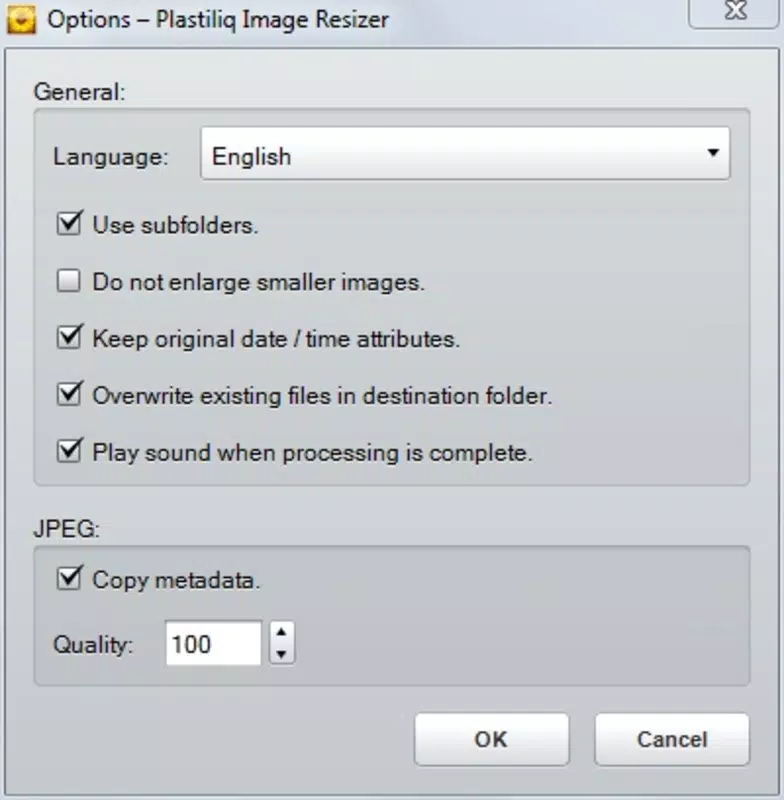
The interface of Plastiliq Image Resizer is minimalistic and focused on core functionality. The layout emphasizes clarity, with clearly labeled input fields for width, height, and percentage adjustments. Navigation is linear and predictable, allowing users to load an image, adjust settings, and export the result with minimal steps.
Visual style remains consistent with standard Windows utility applications—clean, uncluttered, and functional. There are no animations or dynamic elements that could affect performance. The app responds promptly to user inputs, and although the developer did not list formal performance metrics, the small file size of 1.1 MB suggests optimized resource usage.
Responsiveness is adequate across different device categories, though specific compatibility details were not disclosed. Stability appears reliable, given the app’s long availability since 2012. Users can expect consistent behavior during resizing operations without crashes or unexpected errors. The application does not require high system resources, making it suitable for older or low-spec machines.
Platform Compatibility & Technical Requirements
Plastiliq Image Resizer is available exclusively for the Windows platform. It runs on Windows operating systems, though the developer did not specify minimum OS requirements. The software version is 1.0.0.0, and the file size is 1.1 MB, indicating a lightweight footprint.
Given its size and age, the app is likely compatible with a broad range of Windows versions, including Windows 7 and later. However, users should verify compatibility with their specific system configuration, as no formal requirements were provided. The app does not require installation of additional software or runtime environments, simplifying deployment.
Pros and Cons
Pros
- Lightweight and fast-loading with minimal system impact
- Supports multiple common image formats without conversion
- Simple, intuitive interface ideal for beginners
- Specialized feature for desktop wallpaper resizing
- Free to download and use with no hidden costs
Cons
- No support for modern image formats like WebP or AVIF
- Platform limited to Windows; no version for Android or iOS
- Limited customization options for advanced users
- Outdated release date with no recent updates
- Developer did not provide technical specifications or system requirements
FAQ
Is Plastiliq Image Resizer safe to download?
Yes, the app is free and has been available since 2012. It does not require installation of third-party software and has a small file size, reducing the risk of malware. Users should always download from trusted sources.
Can I use Plastiliq Image Resizer on Android or iOS?
No, the application is currently only available for Windows. There is no official version for Android or iOS devices.
Does the app support batch processing?
The provided information does not mention batch resizing. The app appears to process one image at a time.
How do I resize an image to fit my desktop?
Use the built-in desktop size option. The app automatically detects your screen resolution and adjusts the image dimensions accordingly.
Is Plastiliq Image Resizer updated regularly?
The app was released in 2012, and no recent updates have been reported. Users should expect a static feature set with no new functionality added since its initial release.
Final Thoughts
Plastiliq Image Resizer remains a dependable tool for users seeking a straightforward way to resize images on Windows. Its simplicity, support for common formats, and desktop wallpaper feature make it a practical choice for beginners and casual users. While it lacks modern features and has not been updated in over a decade, its lightweight design and zero cost provide real value for basic image editing needs.
For individuals who need to resize images for web use, social media, or personal desktops, this app delivers reliable results without complexity. It is particularly well-suited for those who prioritize ease of use over advanced capabilities.
Download Plastiliq Image Resizer now


